Opera User Javascript for blocking Maxima.org ads
Download adblock script
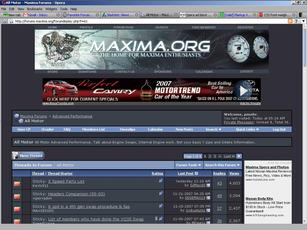
All Motor index
with
the sidebar and ads
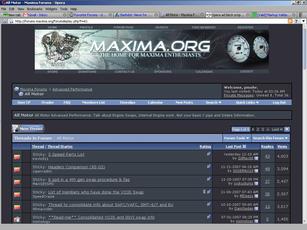
All Motor index
without
the sidebar and ads
'Installation' Instructions:
Download the file linked above
Save the file to a location you'll remember for the next 30 seconds (preferably a new folder specifically for user scripts)
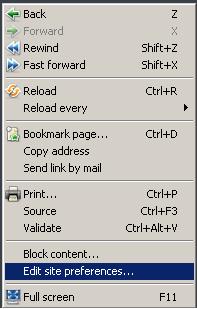
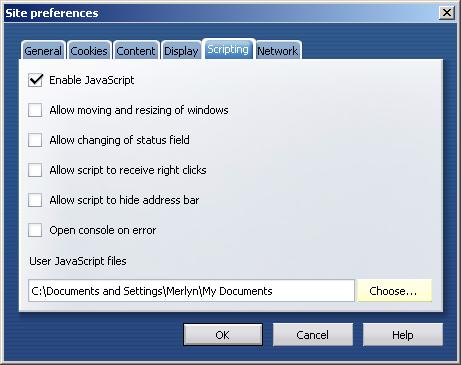
Right click on any org page and go to Edit Site Preferences:
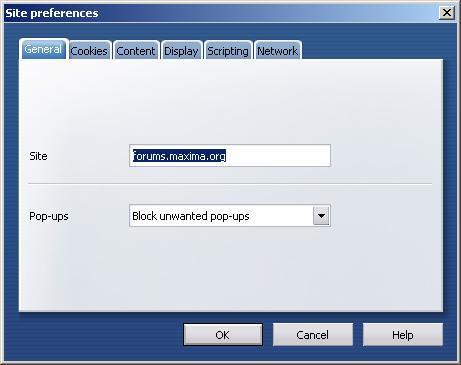
Go to the Scripting tab:
Click
Choose
next to the 'User Javascript files' entry field:
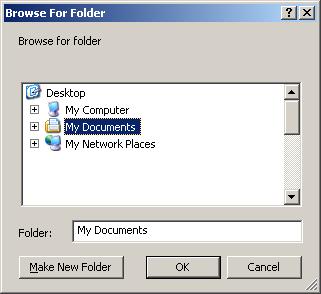
Select the folder you saved the file to:
OK
out of all of the dialog boxes and refresh the page.
You should now be ad-free, and no longer have that annoying blank sidebar taking up screen real estate.